A simpler way to deploy ZIP packages to Azure App Service from the Azure portal
We recently introduced a simpler way to deploy applications to Azure App Service for Linux by uploading a ZIP package through Kudu. The experience lets you review the package contents, choose whether to run a server-side build, and follow the deployment through its different stages.
This capability is now available directly in the Azure portal through Deployment Center.
To use it:
- Open your Linux web app in the Azure portal.
- Go to Deployment Center.
- Select Manual Deployment (Push).
- Choose Publish files (new) as the source.
- Drag and drop your ZIP file or select Browse files.
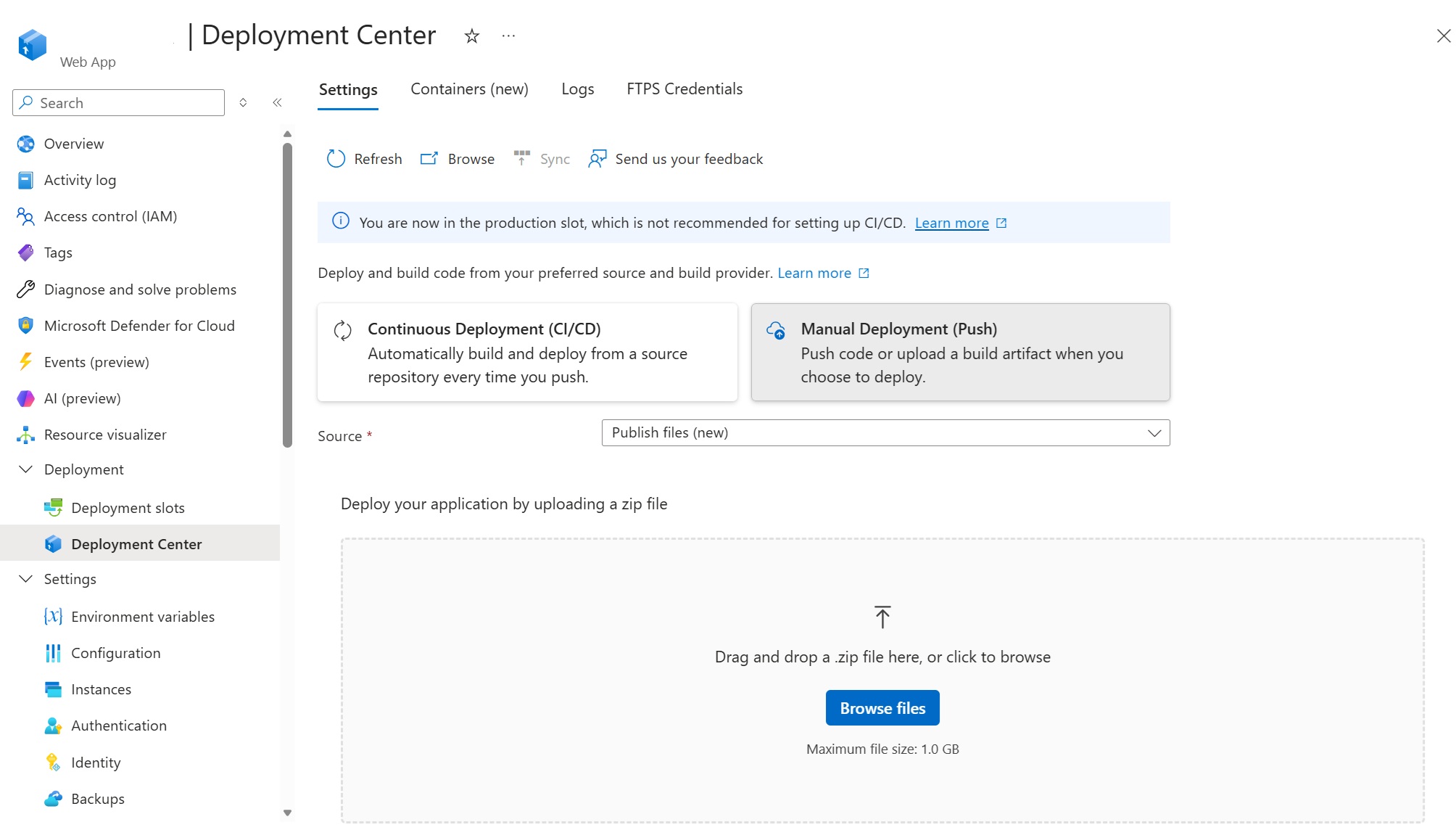
You can now upload and deploy your application without navigating separately to the Kudu site. This is useful for getting started, testing an application, or performing an occasional manual deployment. For repeatable production deployments, we recommend configuring a CI/CD pipeline.
To learn more about the deployment experience, including package preview, build options, progress tracking, and deployment logs, see our previous post: A simpler way to deploy your code to Azure App Service for Linux.
